តើឯកសារ DXF ជាអ្វី?
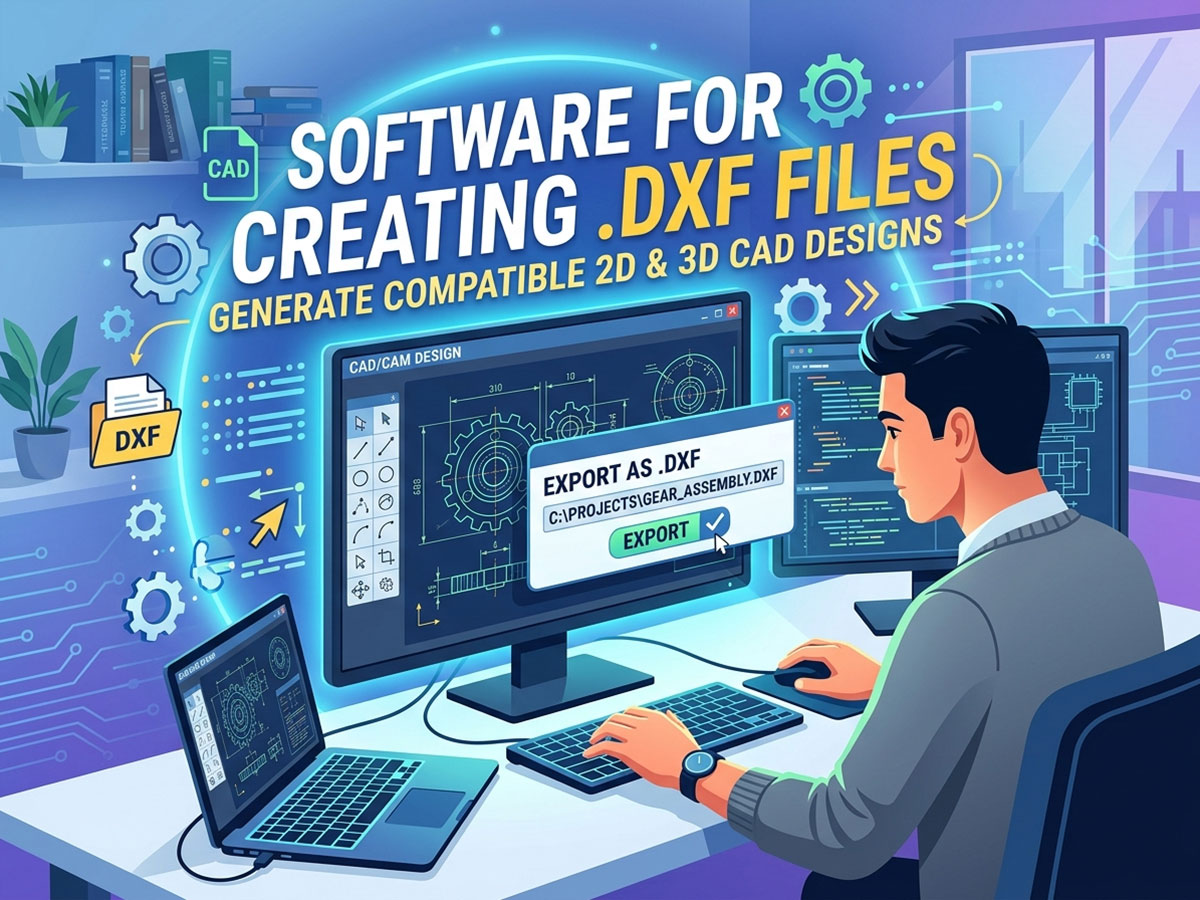
ឯកសារ DXF (ទម្រង់ Drawing Exchange) គឺជាប្រភេទឯកសារវ៉ិចទ័រ 2D ដែលត្រូវបានបង្កើតឡើងដោយ Autodesk ក្នុងឆ្នាំ 1982។ វារក្សាទុកបន្ទាត់ ធ្នូ រង្វង់ និងរាងជាកូអរដោនេគណិតវិទ្យាច្បាស់លាស់ជាជាងភីកសែល។
ដោយសារតែ DXF គឺជាទម្រង់បើកចំហរ និងជាសកល វាអនុញ្ញាតឱ្យការរចនាផ្លាស់ទីដោយសេរីរវាងកម្មវិធី CAD និងម៉ាស៊ីនផ្សេងៗគ្នា។ នេះធ្វើឱ្យវាក្លាយជាប្រភេទឯកសារដែលពេញនិយមបំផុតសម្រាប់ផ្ញើការរចនាទៅកាន់រ៉ោតទ័រ CNC។ ម៉ាស៊ីនឡាស៊ែរនិងតារាងប្លាស្មា។
តើឯកសារ DXF ត្រូវបានប្រើសម្រាប់អ្វី?
• ការផ្ញើផ្លូវកាត់ និងឆ្លាក់ 2D ទៅ ម៉ាស៊ីន CNC.
• ការផ្លាស់ប្តូរគំនូររវាងវេទិកាកម្មវិធី CAD ផ្សេងៗគ្នា។
• ការបង្កើតផ្លូវឧបករណ៍នៅក្នុងកម្មវិធី CAM សម្រាប់ការតម្រង់ផ្លូវ ការកាត់ និងការសម្គាល់។
• ចែករំលែកការរចនាដែលអាចធ្វើមាត្រដ្ឋានបាន និងអាចកែសម្រួលបានដោយមិនបាត់បង់ភាពជាក់លាក់។
ឯកសារ DXF មានប្រជាប្រិយភាពជាពិសេសសម្រាប់ ការកាត់ប្លាស្មាការកាត់ឡាស៊ែរ ការឆ្លាក់ឡាស៊ែរ និងការឆ្លាក់ CNC ពីព្រោះទម្រង់នេះរក្សាវិមាត្រពិតប្រាកដដែលម៉ាស៊ីនត្រូវកាត់បានត្រឹមត្រូវ។
កម្មវិធីដើម្បីបង្កើតឯកសារ DXF
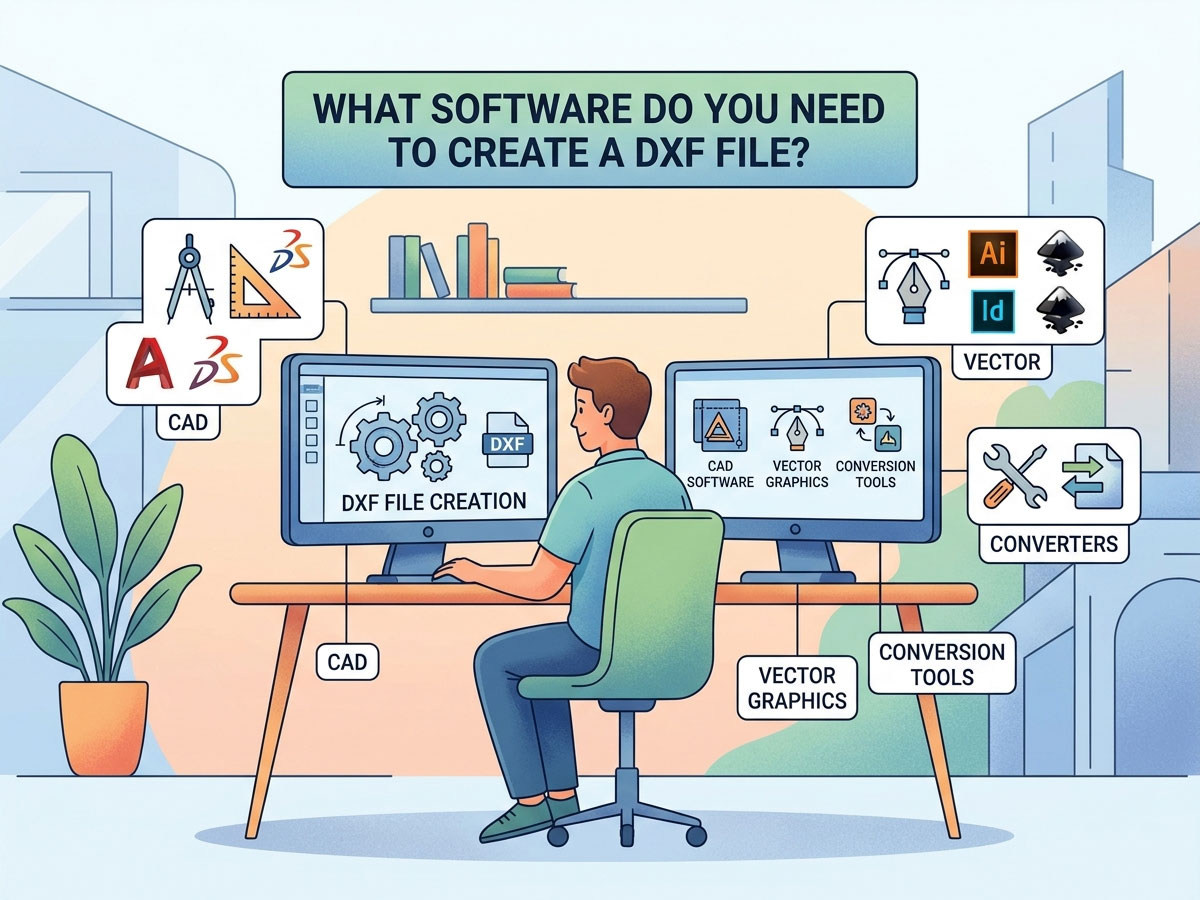
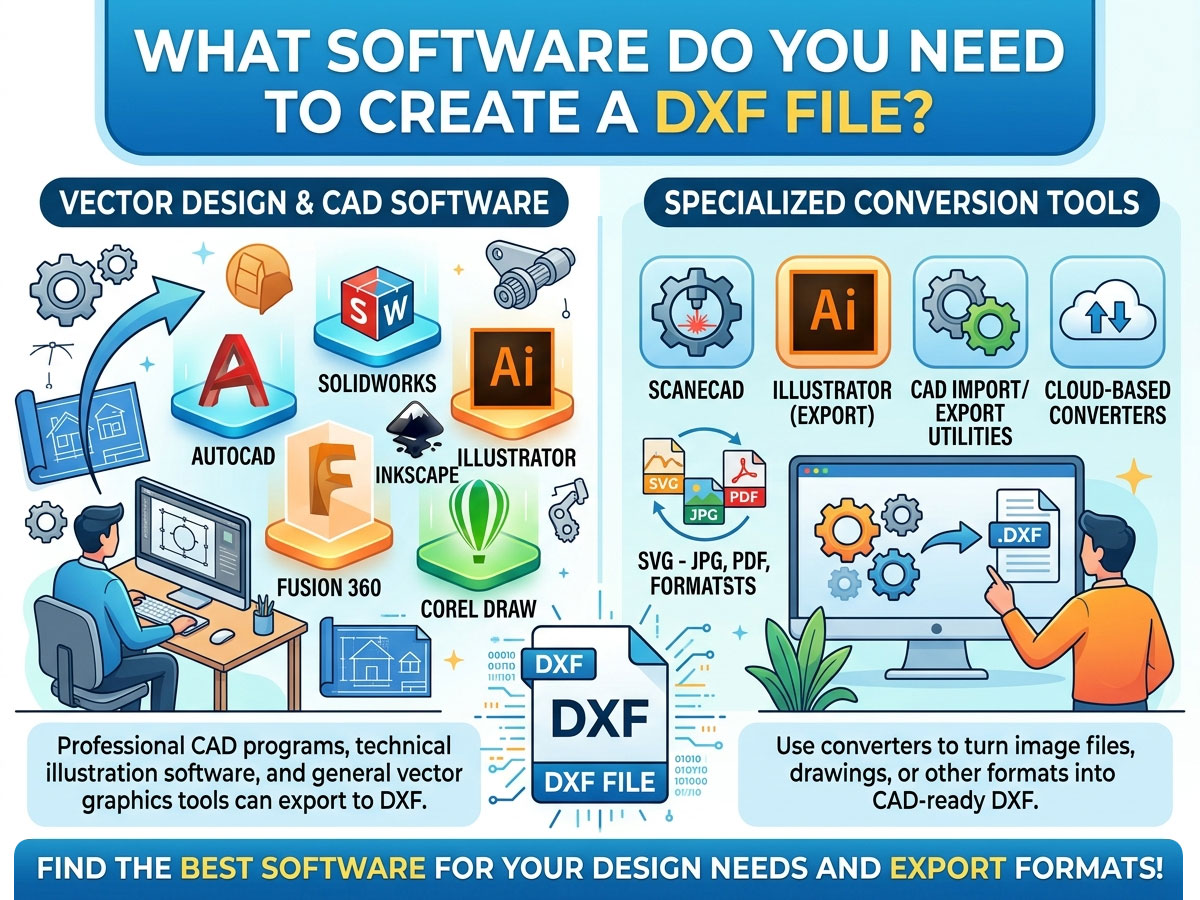
កម្មវិធីណាមួយដែលនាំចេញទៅជា .dxf អាចបង្កើតឯកសារ DXF បាន។ ជម្រើសដែលត្រឹមត្រូវអាស្រ័យលើថាតើអ្នកត្រូវការការព្រាង 2D ដែរឬទេ 3D ការធ្វើគំរូ ឬស្នាដៃសិល្បៈវ៉ិចទ័រ និងស្របតាមថវិការបស់អ្នក។ នេះគឺជាការប្រៀបធៀបជម្រើសដែលប្រើប្រាស់យ៉ាងទូលំទូលាយបំផុត។
| កម្មវិធី Software | តម្លៃ | វាយបញ្ចូល | ល្អបំផុតសម្រាប់ |
| LibreCAD | ដោយឥតគិតថ្លៃ | CAD 2D | អ្នកចូលចិត្ត និងអ្នកចាប់ផ្តើមដំបូងក្នុងការគូរផ្នែក 2D សាមញ្ញៗ |
| QCAD | ឥតគិតថ្លៃ / បង់ | CAD 2D | គំនូរបច្ចេកទេសជាមួយបណ្ណាល័យគ្រឿងបន្លាស់ធំមួយ |
| FreeCAD | ដោយឥតគិតថ្លៃ | 2D + 3D ក្រុមហ៊ុន CAD | ការសរសេរសេចក្តីព្រាង 2D ប្រភពបើកចំហ និង 3D ម៉ូដែល។ |
| Inkscape | ដោយឥតគិតថ្លៃ | ក្រាហ្វិកវ៉ិចទ័រ | ការបម្លែងស្នាដៃសិល្បៈ និងឡូហ្គោទៅជា DXF ដែលអាចកាត់បាន |
| សេចក្តីព្រាង | ឥតគិតថ្លៃ / បង់ | CAD 2D | ចំណុចប្រទាក់រចនាប័ទ្ម AutoCAD ក្នុងតម្លៃទាបជាង |
| បន្សំ 360 | បង់ប្រាក់ (ឥតគិតថ្លៃសម្រាប់ចំណង់ចំណូលចិត្ត) | 2D + 3D ស៊ីអេដ / ខេម | ការរចនា CNC ប្រកបដោយវិជ្ជាជីវៈ បូករួមទាំងផ្លូវឧបករណ៍ |
| AutoCAD | បង់ប្រាក់ | 2D + 3D ក្រុមហ៊ុន CAD | ការសរសេរសេចក្តីព្រាងវិជ្ជាជីវៈស្តង់ដារឧស្សាហកម្ម |
| Adobe Illustrator | បង់ប្រាក់ | ក្រាហ្វិកវ៉ិចទ័រ | អ្នករចនាកំពុងបំលែងសិល្បៈវ៉ិចទ័រទៅជា DXF |
ឥតគិតថ្លៃ ទល់នឹង បង់ប្រាក់៖ តើអ្នកគួរជ្រើសរើសមួយណា?
អ្នកមិនត្រូវការកម្មវិធីថ្លៃៗដើម្បីបង្កើតឯកសារ DXF ដែលអាចប្រើបានទេ។ ផ្គូផ្គងឧបករណ៍ទៅនឹងភាពស្មុគស្មាញនៃគម្រោងរបស់អ្នក៖
• ជ្រើសរើសកម្មវិធីឥតគិតថ្លៃ (LibreCAD, FreeCAD, Inkscape) ប្រសិនបើអ្នកជាអ្នកចូលចិត្តបង្កើតរូបរាង 2D សាមញ្ញៗ ឬទើបតែចាប់ផ្តើម។
• ជ្រើសរើសកម្មវិធីបង់ប្រាក់ (AutoCAD, Fusion 360) ប្រសិនបើអ្នកត្រូវការ 3D ការធ្វើគំរូ ផ្លូវឧបករណ៍ CAM រួមបញ្ចូលគ្នា ការគាំទ្រវិជ្ជាជីវៈ ឬការងារនៅក្នុងហាងពាណិជ្ជកម្ម។
របៀបបង្កើតឯកសារ DXF៖ មួយជំហានម្តងៗ
ដំណើរការនេះគឺស្រដៀងគ្នានៅទូទាំងកម្មវិធីភាគច្រើន។ នេះគឺជាលំហូរការងារទូទៅដោយប្រើឧបករណ៍ CAD ឬវ៉ិចទ័រណាមួយ៖
• បើកកម្មវិធីរចនារបស់អ្នក ហើយចាប់ផ្តើមគំនូរ 2D ឬឯកសារថ្មី។
• គូរការរចនារបស់អ្នកដោយប្រើបន្ទាត់ ធ្នូ រង្វង់ និងខ្សែកោង។ រក្សាអ្វីៗគ្រប់យ៉ាងឱ្យមានទំហំដូចពិភពពិត។
• កំណត់ឯកតាត្រឹមត្រូវ (មីលីម៉ែត្រ ឬអ៊ីញ) ដើម្បីឱ្យម៉ាស៊ីនរបស់អ្នកកាត់ក្នុងមាត្រដ្ឋានត្រឹមត្រូវ។
• សម្អាតធរណីមាត្រដោយបិទផ្លូវដែលបើក ភ្ជាប់បន្ទាត់ និងលុបរូបរាងស្ទួន ឬរាងត្រួតគ្នា។
• ចូលទៅកាន់ File > Save As ឬ File > Export ហើយជ្រើសរើសទម្រង់ .dxf ពីបញ្ជីប្រភេទឯកសារ។
• ជ្រើសរើសកំណែ DXF ប្រសិនបើត្រូវបានសួរ (R12 គឺឆបគ្នាជាសកលបំផុតជាមួយម៉ាស៊ីន និងកម្មវិធីចាស់ៗ)។
ការបម្លែងឯកសារផ្សេងទៀតទៅជា DXF
ពេលខ្លះអ្នកមានការរចនាក្នុងទម្រង់ផ្សេងរួចហើយ។ អ្នកអាចបម្លែងឯកសារប្រភេទជាច្រើនទៅជា DXF ជាជាងការគូរឡើងវិញពីដំបូង។
| បម្លែងពី | ឧបករណ៍ដែលបានណែនាំ | ភក្ដិកំណត់ត្រាកំណត់ |
| រូបភាព (JPG, PNG) | Inkscape, Scan2CAD | តម្រូវឱ្យតាមដានទៅវ៉ិចទ័រជាមុនសិន |
| ឯកសារវ៉ិចទ័រ SVG | Inkscape | នាំចេញដោយផ្ទាល់ទៅ DXF |
| គំនូរ PDF | កម្មវិធីបម្លែងតាមអ៊ីនធឺណិត, Illustrator | ល្អបំផុតជាមួយ PDF ដែលមានមូលដ្ឋានលើវ៉ិចទ័រ |
| ឯកសារ DWG | AutoCAD, DraftSight, QCAD | DWG និង DXF មានទំនាក់ទំនងគ្នាយ៉ាងជិតស្និទ្ធ |
| DXF ទៅជា PDF (បញ្ច្រាស) | កម្មវិធីមើល CAD ណាមួយ បោះពុម្ពជា PDF | សម្រាប់ចែករំលែក ឬឯកសារ |
នៅពេលបំប្លែងរូបភាពទៅជា DXF សូមចងចាំថារូបថតត្រូវតែតាមដានទៅជាគ្រោងវ៉ិចទ័រស្អាតជាមុនសិន។ ការបំប្លែងរូបភាពទៅជា DXF ដំណើរការបានល្អបំផុតជាមួយឡូហ្គោ និងសិល្បៈបន្ទាត់សាមញ្ញៗ ដែលមានកម្រិតពណ៌ខ្ពស់ មិនមែនរូបថតលម្អិតនោះទេ។
របៀបបើក និងមើលឯកសារ DXF
ការបង្កើត DXF គឺគ្រាន់តែជាពាក់កណ្តាលនៃការងារប៉ុណ្ណោះ។ អ្នកក៏ត្រូវបើក និងពិនិត្យមើលវាមុនពេលផ្ញើវាទៅម៉ាស៊ីនរបស់អ្នកផងដែរ។
វិធីបើកឯកសារ DXF
✓ កម្មវិធី CAD៖ AutoCAD, LibreCAD, QCAD និង FreeCAD សុទ្ធតែជាឯកសារ DXF ដែលបើកដោយធម្មជាតិ។
✓ កម្មវិធីមើល DXF ឥតគិតថ្លៃតាមអ៊ីនធឺណិត៖ កម្មវិធីមើលដែលមានមូលដ្ឋានលើកម្មវិធីរុករកអនុញ្ញាតឱ្យអ្នកមើលឯកសារជាមុនដោយមិនចាំបាច់ដំឡើងអ្វីទាំងអស់ ដែលល្អសម្រាប់ការត្រួតពិនិត្យរហ័ស។
✓ កម្មវិធីនិពន្ធវ៉ិចទ័រ៖ Inkscape និង Adobe Illustrator បើក និងកែសម្រួលស្នាដៃសិល្បៈ DXF។
✓ កម្មវិធីម៉ាស៊ីន៖ LightBurn (ឡាស៊ែរ) Mach5 និងកម្មវិធីបញ្ជាស្រដៀងគ្នានាំចូល DXF ដោយផ្ទាល់សម្រាប់កាត់។
ដើម្បីបើក DXF នៅក្នុង AutoCAD គ្រាន់តែប្រើ File > Open ហើយជ្រើសរើសឯកសារ .dxf ឬអូសវាទៅក្នុងកន្លែងធ្វើការ។ សម្រាប់ការនាំចូលជាក់លាក់របស់ម៉ាស៊ីន របស់អ្នក កម្មវិធី CNC និងឡាស៊ែរ អាន DXF ហើយបម្លែងធរណីមាត្រទៅជាផ្លូវឧបករណ៍កាត់។
ការប្រើប្រាស់ឯកសារ DXF ជាមួយម៉ាស៊ីន CNC, Laser ឬ Plasma របស់អ្នក
DXF គឺជាស្ពានរវាងការរចនារបស់អ្នក និងម៉ាស៊ីនរបស់អ្នក។ លំហូរការងារធម្មតាមើលទៅដូចនេះ៖
រចនាក្នុង CAD → នាំចេញជា DXF → នាំចូលទៅក្នុង CAM ឬកម្មវិធីគ្រប់គ្រងម៉ាស៊ីន → បង្កើតផ្លូវឧបករណ៍ ឬ G-code → កាត់។ ដើម្បីស្វែងយល់ពីរបៀបដែលដំណាក់កាលបន្ទាប់ដំណើរការ សូមអាន STYLECNC ណែនាំលើ របៀបបង្កើតឯកសារ G-code ពីការរចនារបស់អ្នក។
• រ៉ោតទ័រ CNC៖ ឯកសារ DXF កំណត់ទម្រង់ 2D សម្រាប់កាត់ឈើ អាគ្រីលីក និងសមាសធាតុ។ ភ្ជាប់ជាមួយកម្មវិធី CAM ដើម្បីបង្កើតផ្លូវឧបករណ៍។
• ម៉ាស៊ីនកាត់ និងឆ្លាក់ឡាស៊ែរ៖ គ្រោង DXF ប្រាប់ឡាស៊ែរឱ្យច្បាស់ពីកន្លែងដែលត្រូវកាត់ ឬកាត់។ កម្មវិធីដូចជា LightBurn នាំចូល DXF ដោយផ្ទាល់។
• ឧបករណ៍កាត់ប្លាស្មា៖ ឯកសារ DXF ឥតគិតថ្លៃសម្រាប់ការកាត់ប្លាស្មាអាចរកបានយ៉ាងទូលំទូលាយតាមអ៊ីនធឺណិត ដែលធ្វើឱ្យវាងាយស្រួលក្នុងការចាប់ផ្តើមផលិតសិល្បៈដែក និងគ្រឿងបន្លាស់។
ប្រសិនបើអ្នកកំពុងជ្រើសរើសឧបករណ៍សម្រាប់ម៉ាស៊ីនរបស់អ្នក STYLECNC បញ្ជីកម្មវិធីសរសេរកម្មវិធី CNC គូសបញ្ជាក់ពីកម្មវិធីរចនា និងត្រួតពិនិត្យណាដែលដំណើរការល្អបំផុតសម្រាប់រ៉ោតទ័រ ឡាស៊ែរ និងតុប្លាស្មា។
កន្លែងដែលត្រូវរកឯកសារ DXF ឥតគិតថ្លៃ
ប្រសិនបើអ្នកចង់ចាប់ផ្តើមជាមួយនឹងការរចនាដែលផលិតរួចជាស្រេច បណ្ណាល័យ DXF ឥតគិតថ្លៃជាច្រើនមាននៅលើអ៊ីនធឺណិត។ ទាំងនេះគឺល្អឥតខ្ចោះសម្រាប់ការកាត់ឡាស៊ែរ សិល្បៈប្លាស្មា និងគម្រោង CNC។
• ឯកសារ DXF ឥតគិតថ្លៃសម្រាប់ការកាត់ឡាស៊ែរ៖ ផ្លាកសញ្ញា គ្រឿងតុបតែង ប្រអប់ និងគំរូតុបតែង។
• ឯកសារ DXF ឥតគិតថ្លៃសម្រាប់ការកាត់ប្លាស្មា៖ សិល្បៈដែក តង្កៀប និងផ្នែកមុខងារ។
• បណ្ណាល័យសហគមន៍ និងវេទិកាអ្នកផលិត ដែលអ្នកប្រើប្រាស់ចែករំលែកការរចនារបស់ពួកគេ។
តែងតែសាកល្បង DXF ដែលបានទាញយកលើសម្ភារៈសំណល់អេតចាយជាមុនសិន ព្រោះគុណភាព និងមាត្រដ្ឋានឯកសារអាចប្រែប្រួលរវាងប្រភព។
សំណួរសួរជាញឹកញាប់
តើកម្មវិធីឥតគិតថ្លៃណាដែលងាយស្រួលបំផុតដើម្បីបង្កើតឯកសារ DXF?
LibreCAD គឺជាជម្រើសឥតគិតថ្លៃងាយស្រួលបំផុតសម្រាប់អ្នកចាប់ផ្តើមបង្កើតឯកសារ DXF 2D។ សម្រាប់ការបម្លែងឡូហ្គោ និងស្នាដៃសិល្បៈ Inkscape គឺជាឧបករណ៍វ៉ិចទ័រឥតគិតថ្លៃសាមញ្ញបំផុតដែលនាំចេញទៅ DXF។
តើខ្ញុំអាចបង្កើតឯកសារ DXF ដោយគ្មាន AutoCAD បានទេ?
បាទ/ចាស៎។ AutoCAD មិនត្រូវបានទាមទារទេ។ កម្មវិធីឥតគិតថ្លៃដូចជា LibreCAD, FreeCAD និង Inkscape សុទ្ធតែបង្កើត និងនាំចេញឯកសារ DXF ដែលដំណើរការជាមួយម៉ាស៊ីន CNC ឡាស៊ែរ និងប្លាស្មា។
តើខ្ញុំត្រូវបើកឯកសារ DXF តាមអ៊ីនធឺណិតដោយរបៀបណា?
ប្រើកម្មវិធីមើល DXF ដែលមានមូលដ្ឋានលើកម្មវិធីរុករក។ ផ្ទុកឡើងឯកសារទៅកាន់កម្មវិធីមើល DXF តាមអ៊ីនធឺណិតដោយឥតគិតថ្លៃ ដើម្បីមើលជាមុននូវគំនូរដោយមិនចាំបាច់ដំឡើងកម្មវិធី។ សម្រាប់ការកែសម្រួល សូមប្រើកម្មវិធី CAD លើកុំព្យូទ័រ ឬកម្មវិធីវ៉ិចទ័រ។
តើអ្វីជាភាពខុសគ្នារវាង DXF និង DWG?
ទាំងពីរសុទ្ធតែជាទម្រង់ Autodesk។ DWG គឺជាទម្រង់ AutoCAD ដើម ខណៈពេលដែល DXF គឺជាទម្រង់ផ្លាស់ប្តូរបើកចំហដែលត្រូវបានរចនាឡើងសម្រាប់ភាពឆបគ្នានៅទូទាំងកម្មវិធីផ្សេងៗគ្នា។ DXF ត្រូវបានទទួលយកជាសកលដោយម៉ាស៊ីន CNC និងឡាស៊ែរ។
តើខ្ញុំអាចបម្លែងរូបភាពទៅជាឯកសារ DXF បានទេ?
បាទ/ចាស៎ ប៉ុន្តែរូបភាពត្រូវតែតាមដានទៅជាគ្រោងវ៉ិចទ័រជាមុនសិន។ ឧបករណ៍ដូចជា Inkscape និង Scan2CAD បំលែងឡូហ្គោ និងសិល្បៈបន្ទាត់សាមញ្ញៗ ដែលមានកម្រិតពណ៌ខ្ពស់ទៅជា DXF។ រូបថតលម្អិតមិនបំលែងបានល្អទេ។
តើខ្ញុំគួររក្សាទុក DXF កំណែណា?
រក្សាទុកនៅក្នុងកំណែ R12 សម្រាប់ភាពឆបគ្នាយ៉ាងទូលំទូលាយជាមួយម៉ាស៊ីន និងកម្មវិធីចាស់ៗ។ កំណែថ្មីៗគាំទ្រមុខងារជាច្រើនទៀត ប៉ុន្តែប្រហែលជាមិនអាចអានបានដោយកម្មវិធីគ្រប់គ្រង CNC និងឡាស៊ែរទាំងអស់ទេ។
ពីឯកសាររចនារហូតដល់ផ្នែកដែលបានបញ្ចប់
នៅពេលដែលអ្នកអាចបង្កើតឯកសារ DXF ស្អាតបាន អ្នករួចរាល់ដើម្បីប្រែក្លាយការរចនាទៅជាផ្នែកពិត។ STYLECNC កម្មវិធី CNC និងឧបករណ៍រចនារកមើល ជួររ៉ោតទ័រ CNCឬមើលជួរពេញលេញនៃ ម៉ាស៊ីនឆ្លាក់ឡាស៊ែរ និង ម៉ាស៊ីនកាត់ឡាស៊ែរ ដើម្បីនាំយកការរចនា DXF របស់អ្នកមកក្នុងជីវិត។